


logo
NanoBiBi

Realistic Vision v5.1

Realistic Vision v5.1 (lucataco / SG_161222) is a high-quality version in the Realistic Vision family, built on Stable Diffusion 1.5. It is designed for very realistic, highly detailed images. This version works best when used with a VAE (to reduce artifacts), and it excels at portraits, environmental lighting, textures like skin, and natural landscapes. It’s fitting for tasks that demand photographic realism, such as product visuals, advertising, portrait work, and scenic renders.

Select an AI Feature

Choose the creation tool you'd like to use Left

Showcase

See other users' amazing creations with this tool

make sex pict

make sex pict

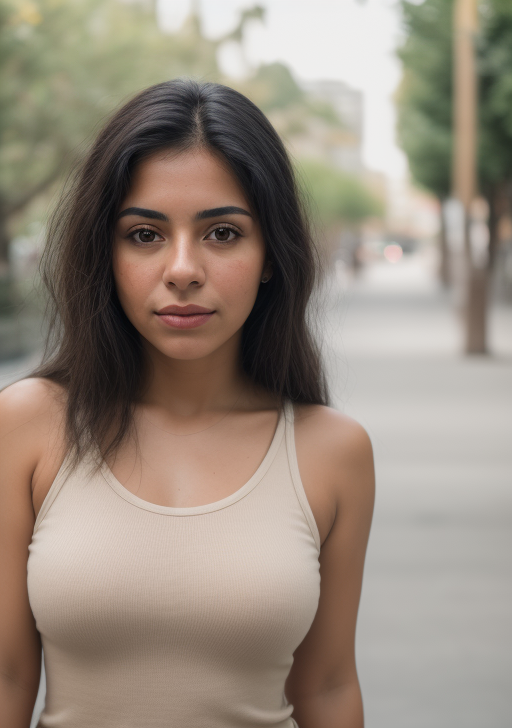
RAW photo, a portrait photo of a latina woman in casual clothes, natural skin, 8k uhd, high quality, film grain, Fujifilm XT3

RAW photo, a portrait photo of a latina woman in casual clothes, natural skin, 8k uhd, high quality, film grain, Fujifilm XT3

make nude

make nude

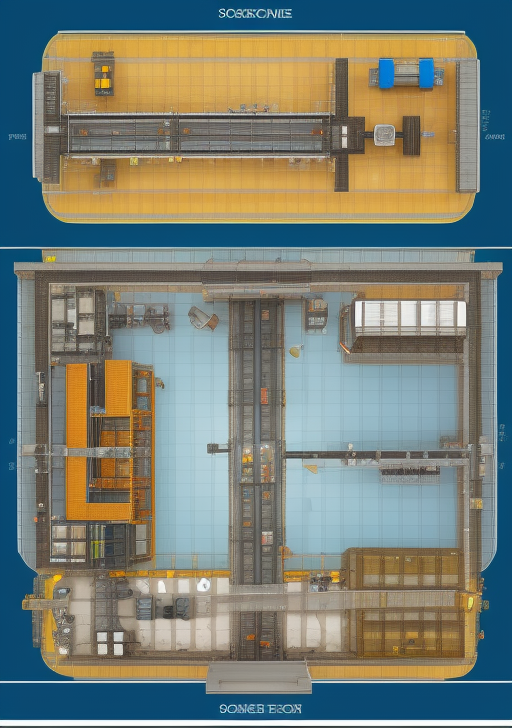
Concept Schematic: Overview of foreign object detection system in metallic mine conveyor
Clean schematic showing: (1) Stylized cross-section of underground metallic mine tunnel with conveyor belt as central element; (2) Three primary hazard objects as stylized icons: Anchor rod (simplified cylinder with bolt thread detail), Metal mesh (grid pattern fragment), Wooden block; (3) Detection system components as labeled blocks: Vision sensor array → Edge computing node (FDSE-DETR) → Control center → Removal mechanism; (4) Information flow lines with data type indicators: Raw video → Detection results → Alert signals → Action commands.

Concept Schematic: Overview of foreign object detection system in metallic mine conveyor Clean schematic showing: (1) Stylized cross-section of underground metallic mine tunnel with conveyor belt as central element; (2) Three primary hazard objects as stylized icons: Anchor rod (simplified cylinder with bolt thread detail), Metal mesh (grid pattern fragment), Wooden block; (3) Detection system components as labeled blocks: Vision sensor array → Edge computing node (FDSE-DETR) → Control center → Removal mechanism; (4) Information flow lines with data type indicators: Raw video → Detection results → Alert signals → Action commands.

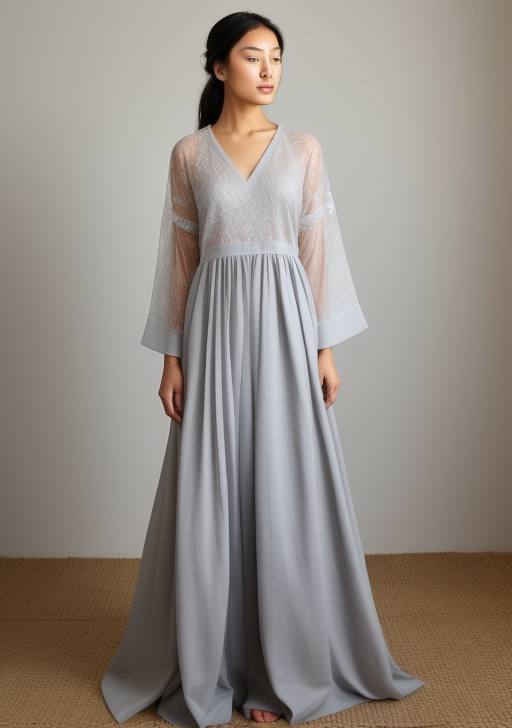
You are an experienced, highly aesthetic and creative fashion designer. The silhouettes of your clothing mainly feature the ethereal charm of Eastern Zen, while also incorporating the exaggerated sense of modern large silhouettes and an exaggerated, complex and creative style. Zen-style clothing is mostly characterized by loose silhouettes, highlighting the spatial sense of the garments. Most of them are made of cotton and linen fabrics with a yellowed printing effect of newspapers from the Republic of China period, and are combined with other types of fabrics to design a series of four sets of androgynic and flowing men's clothing. Each set has a similar structure but some differences. Display it face forward.

You are an experienced, highly aesthetic and creative fashion designer. The silhouettes of your clothing mainly feature the ethereal charm of Eastern Zen, while also incorporating the exaggerated sense of modern large silhouettes and an exaggerated, complex and creative style. Zen-style clothing is mostly characterized by loose silhouettes, highlighting the spatial sense of the garments. Most of them are made of cotton and linen fabrics with a yellowed printing effect of newspapers from the Republic of China period, and are combined with other types of fabrics to design a series of four sets of androgynic and flowing men's clothing. Each set has a similar structure but some differences. Display it face forward.

逻辑严密、专业、nature顶刊级别的加入以下这些信息/逻辑链条形成一个完整全面逻辑严密的理论框架图。基本逻辑:climate shocks impact household resilience  determine. adaptive behavior respond climate shocks 细节是:2.The impacts of climate shocks on household resilience   2.1. Concept and types of climate shocks 2.2. Impact pathways on household resilience 2.3. Heterogeneous effects on household resilience  3.Household resilience as a prerequisite for adaptive behaviors  3.1. Concept of household resilience 3.2. Endogenous attributes shaping resilience to influence adaptive behaviors 3.3. Endogenous resource endowments shaping resilience to determine adaptive behaviors 3.4 External systems shaping resilience to modulate adaptive behaviors  4.Adaptive behaviors in response to climate shocks 4.1. Livelihood diversification 4.2. Agricultural and technological adjustments 4.3. Social networks, collective action, and external assistance 4.4. Knowledge integration and capacity building 4.5. Structural changes and long-term transformations 5.Research Gaps and Future Directions

逻辑严密、专业、nature顶刊级别的加入以下这些信息/逻辑链条形成一个完整全面逻辑严密的理论框架图。基本逻辑:climate shocks impact household resilience determine. adaptive behavior respond climate shocks 细节是:2.The impacts of climate shocks on household resilience 2.1. Concept and types of climate shocks 2.2. Impact pathways on household resilience 2.3. Heterogeneous effects on household resilience 3.Household resilience as a prerequisite for adaptive behaviors 3.1. Concept of household resilience 3.2. Endogenous attributes shaping resilience to influence adaptive behaviors 3.3. Endogenous resource endowments shaping resilience to determine adaptive behaviors 3.4 External systems shaping resilience to modulate adaptive behaviors 4.Adaptive behaviors in response to climate shocks 4.1. Livelihood diversification 4.2. Agricultural and technological adjustments 4.3. Social networks, collective action, and external assistance 4.4. Knowledge integration and capacity building 4.5. Structural changes and long-term transformations 5.Research Gaps and Future Directions

AI creation tutorial in 4 simple steps for batch image editing, bulk AI generation, and multi-modal content. Step 1: choose a bulk workflow; Step 2: craft prompts with keyword guidance; Step 3: run the batch image editor, AI upscaler, or video generator; Step 4: download and share. Covers text-to-image, text-to-video, audio guides, and best practices—no experience required.

AI Creation Tutorial — 4 Steps to Master AI Content Generation

Create faster with AI. Every workflow — background removal, upscaling, editing — is step-by-step, simple, and ready for beginners.

The entire flow is streamlined: pick what you want to do, describe it, and the AI handles the rest. No editing skills needed, just consistent and clean results for all your images and media.

Fast Generation (≈30s)
No AI Experience Required
High-Quality, Consistent Output

Step 1Choose an AI Filter

Browse our library of AI-powered filters and styles — from cartoon effects and 3D renders to vintage aesthetics and artistic portraits.
Select AI Creation Tool, Choose Feature, Batch Image Editor, Bulk Workflow1
AI Creation Step 1
Easy to Learn

Step 2Upload Your Photo

Upload the photo you want to enhance or transform. Multiple formats are supported, and high-resolution images deliver the best results.
Write Prompt, Add Style & Constraints, Background Removal, Color Control2
AI Creation Step 2
Easy to Learn

Step 3AI Processing

Our advanced AI algorithms analyze your photo and apply the selected filter or effect. Processing usually takes just a few seconds.
AI Generation, Multi-Step Editing, Upscaling, Brand Style Unification3
AI Creation Step 3
Easy to Learn

Step 4Download & Share

Download your AI-enhanced photo instantly and share it on social media, use it in your projects, or keep it for personal collections.
Download Result, Share to Social, Watermark Options, Campaign Delivery4
AI Creation Step 4
Easy to Learn

Start Your AI Creation Journey — Fast, and Built for Bulk Editing

Experience cutting-edge AI automation. Turn ideas into visuals, videos, and audio with batch background removal, smart erase, and AI image upscaling.
In just a few steps, generate stunning AI images, cinematic clips, and studio-grade audio ready for e-commerce, social media, or marketing launches.

Zero-Setup, Beginner-Friendly
≈30-Second Turnaround
Pro-Level Output Quality

AI Creation Tips — Boost Your Generation Quality

Be specific: include subject, style, camera angle, lighting, resolution, and constraints to guide the model.
Keyword tuning: add art style, mood, color palette, lens (e.g., 35mm), composition (rule of thirds), and timeframe.
Iterate: try multiple generations and refine prompts; use multi-step edits to lock character identity and brand tone.
Adjust parameters: scale guidance, seed, and safety settings; enable watermarks for authenticity and rights management.
AI creation FAQ, AI content generation help center, AI tool usage guide, AI image generation FAQ, AI video production FAQ, AI audio creation FAQ, AI music generation guide, AI copyright and legal issues, AI generation cost, AI content quality optimization, AI tool troubleshooting, AI creation tutorials, free AI creation platform Q&A, technical support for AI content tools.

AI Creation FAQ - Help Center

What are AI photo filters?

AI photo filters use advanced artificial intelligence algorithms to instantly transform your photos into different artistic styles such as cartoons, 3D renders, vintage effects, portraits, and more. Simply upload your photo, and the AI will automatically generate stunning, high-quality results.

How do I use AI photo editing tools?

Using our AI photo editing tools is simple: 1) Select your preferred filter or style, 2) Upload your photo, 3) Wait a few seconds for AI processing, 4) Download your enhanced image. The entire process is automated and beginner-friendly.

Which image formats are supported?

We support popular image formats including JPG, PNG, and WEBP. For the best results, we recommend uploading high-resolution images.

How long does AI photo processing take?

Most AI processing is completed within 10–30 seconds, depending on image size and the complexity of the chosen effect.

Can I use AI-generated images for commercial purposes?

Yes, you may use AI-generated images commercially. Please ensure you own the rights to the original photo you upload before generating content.